Where’s My Drive
Heads-up: links to label printer stores on this page are affiliate links — we may earn a small commission at no extra cost to you.
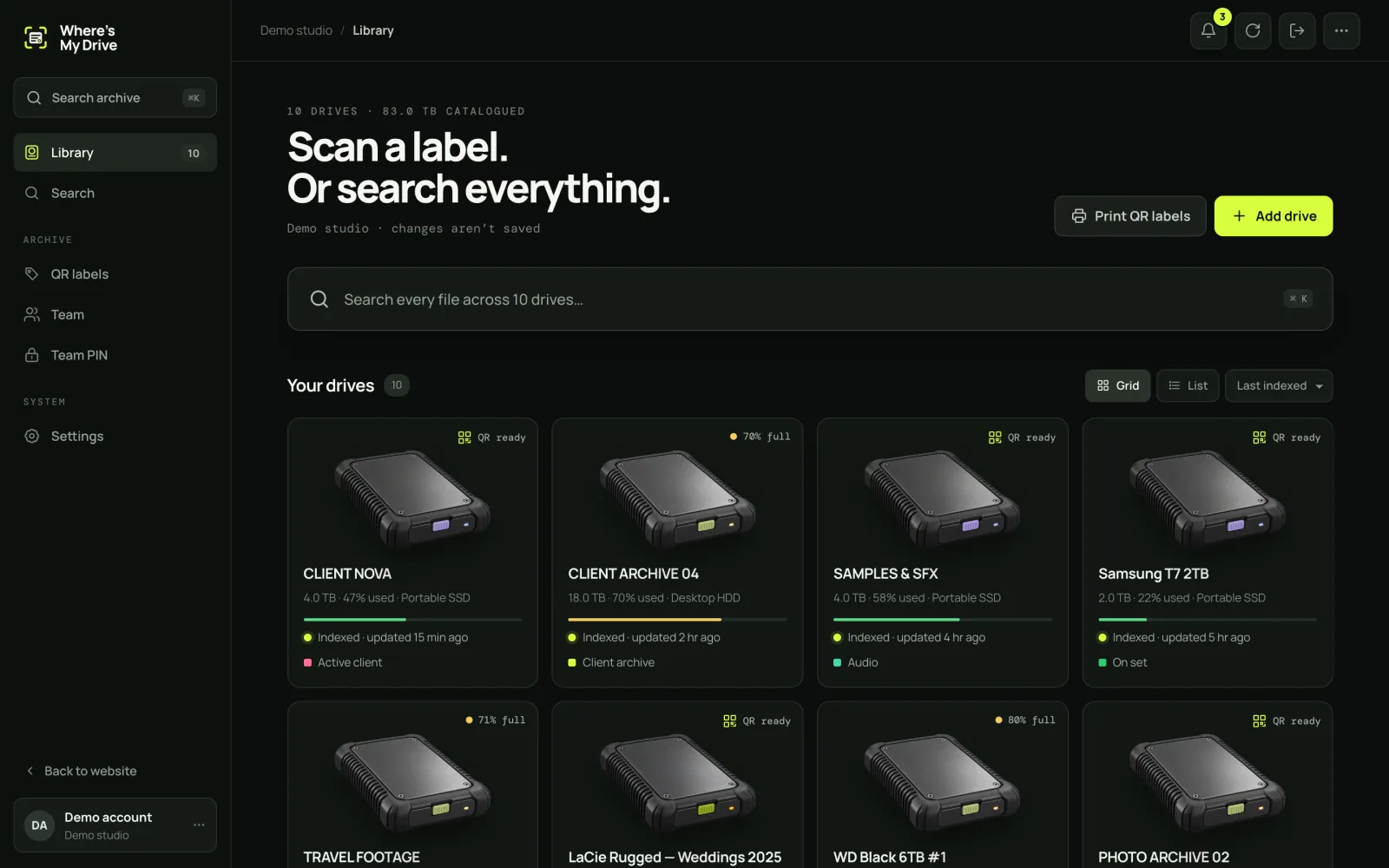
One catalog for the whole facility
Every drive — client deliveries, RAW, backups, the NAS — in one searchable place. Editors search from their suites, producers from their phones, the data wrangler keeps it current.
Roles that match how studios work
| Who | Access | Seat |
|---|---|---|
| Head of post / admin | Team, PIN, billing, delete & restore drives | Paid |
| Editors & DITs | Scan, rename, label, notes | Paid |
| Producers, coordinators | Browse & search | Free viewer |
| Freelancers, visiting clients | Team PIN, read-only on their phone | Free |
The shelf, labelled once
Print the whole shelf’s QR labels on one A4 sheet, or batch them on a fast desktop label printer like the NIIMBOT K3. From then on, any drive picked up anywhere can be scanned.
Safe by default
- File contents never leave the drives — names and sizes only.
- Deleted drives go to Trash and can be restored by an admin.
- Rotate the PIN when a freelancer leaves; every phone with the old one is logged out.
- Export everything to CSV whenever you need.
Where a shared catalog pays for itself
- Re-edits and pickups: a client returns months later; the assistant finds the right RAW drive in one search.
- Conform and online: the online editor sees which drive holds the camera originals before the session starts.
- Audits: “which drives hold client X’s material?” is one search, not a shelf-wide hunt.
- Offboarding: rotate the PIN and remove the account — access ends immediately.
Drive lifecycle in a facility
| Stage | What happens in the catalog |
|---|---|
| Arrives | Added, named with the house ID, scanned, labelled |
| In use | Rescanned at milestones; notes for the next editor |
| Delivered | Delivery note added, status set to archive |
| Archived | Moved to the archive shelf; health checked yearly |
| Retired | Moved to Trash after data is migrated; restorable if needed |
Fitting into existing tools
Keep your MAM or project tracker for what it does well. The drive catalog answers a narrower question — which physical drive, where — and exports to CSV so it can feed a spreadsheet or tracker if you need it to.
Label the facility this week
Studio plan: up to 5 editors, unlimited free viewers. 14 days free.
Frequently asked questions
How do post houses track media drives?
With a shared catalog of every drive’s contents, unique drive IDs and labels, and clear roles for who can change what.
Do producers need a paid seat to search?
No — viewer seats are free on every plan.