Where’s My Drive
Heads-up: links to the NIIMBOT store on this page are affiliate links. If you buy through them we may earn a small commission, at no extra cost to you. We only recommend printers we would use for drive labels ourselves.
The short answer
For labels that carry information — drives, boxes, cables, folders — get the NIIMBOT B1 Pro: it prints red + black on special rolls and connects over USB as well as Bluetooth. Get the NIIMBOT B2 Pro if you mostly print photos and decorative stickers for journals and crafts.
Side by side
| NIIMBOT B1 Pro | NIIMBOT B2 Pro | |
|---|---|---|
| How it prints | Direct thermal · 300 dpi | Direct thermal · 300 dpi |
| Label width | 20–50 mm labels | 20–50 mm labels |
| Connects | Bluetooth + USB | Bluetooth |
| Best for | 300 dpi + red/black | Photo labels |
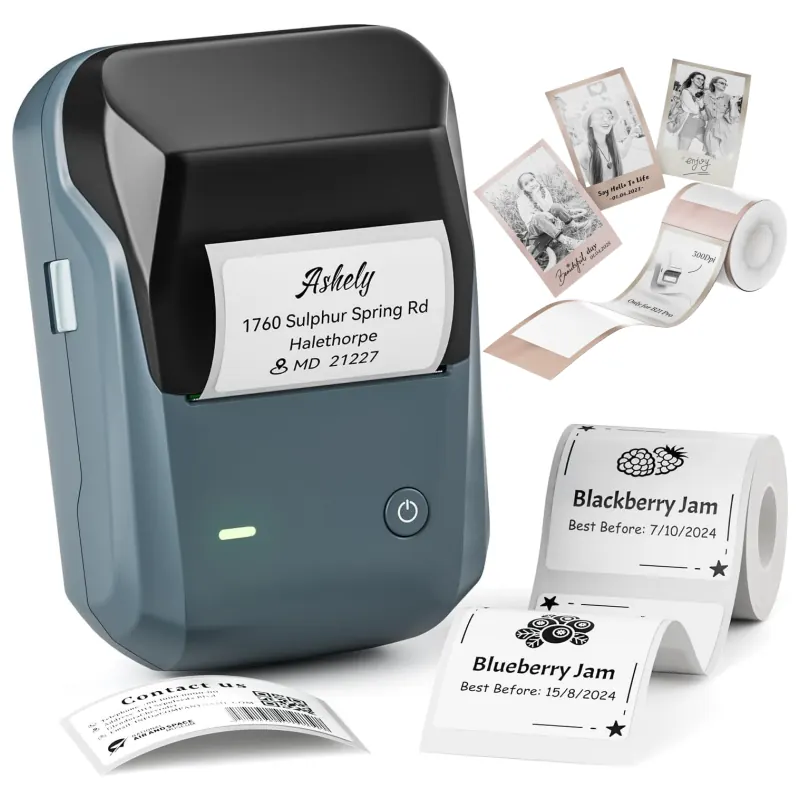
NIIMBOT B1 Pro
- Print: Direct thermal · 300 dpi
- Size: 20–50 mm labels
- Connect: Bluetooth + USB
Adds two-colour (red + black) printing on special paper — handy to flag “cold archive” drives in red.
See on NIIMBOT →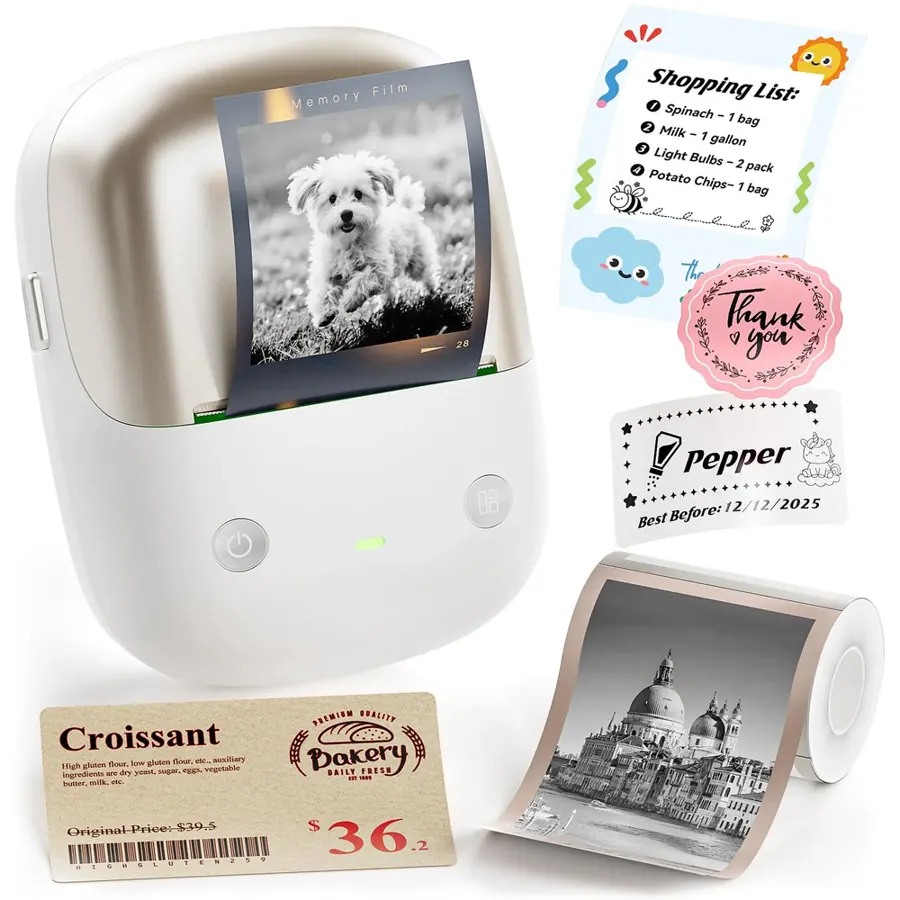
NIIMBOT B2 Pro
- Print: Direct thermal · 300 dpi
- Size: 20–50 mm labels
- Connect: Bluetooth
Built for photo and journal stickers (grayscale photo paper). Works for drives, but you pay for features you will not use.
See on NIIMBOT →Why the B1 Pro wins for practical labels
- Red + black printing lets you flag things at a glance — for example, red for drives in a cold archive, black for active projects.
- USB as well as Bluetooth, so printing a batch from a computer is easy.
- 300 dpi keeps small QR codes sharp.
When the B2 Pro makes sense
Its strength is grayscale photo stickers. If that is your main use, it is the nicer choice; for drive labels you would be paying for features you will not use.
Do you need a Pro at all?
For 50×30 mm drive labels a regular NIIMBOT B21 or NIIMBOT B1 at 203 dpi prints QR codes that scan fine. Go Pro (300 dpi) when your labels are small — 30 mm and under — or you want the sharpest text.
Label your first drive tonight
14-day free trial, no card. Connect a drive once, print its QR label, and scan it from any phone to see every file — even when the drive is unplugged.
Frequently asked questions
What is the difference between NIIMBOT B1 Pro and B2 Pro?
Both print 300 dpi on 20–50 mm labels. The B1 Pro adds red/black two-colour printing and USB; the B2 Pro is designed for grayscale photo stickers.
Which is better for labelling, B1 Pro or B2 Pro?
The B1 Pro — two-colour printing and USB make it the more practical label printer. The B2 Pro is aimed at photo and journal stickers.